General and History settings
Choose the app language and export folder, configure Auto Export, and control local session retention.
Updated August 10, 2026
On this page
Open Settings from the sidebar or press Command + ,.
Language
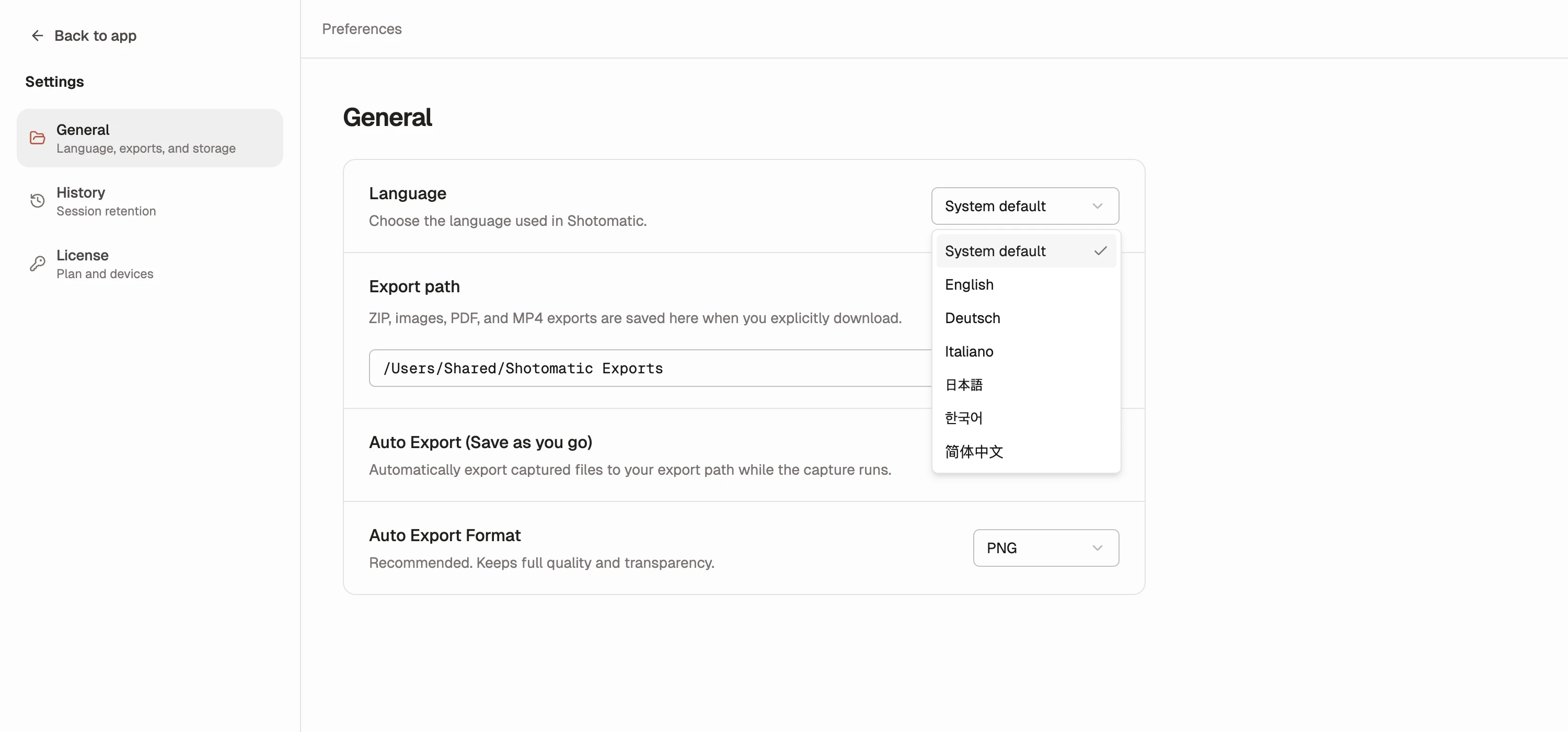
Open General > Language and choose one of these options:
- System default follows the first supported language in your macOS language list.
- English keeps Shotomatic in English.
- Deutsch switches Shotomatic to German.
- Italiano switches Shotomatic to Italian.
- 日本語 switches Shotomatic to Japanese.
- 한국어 switches Shotomatic to Korean.
- 简体中文 switches Shotomatic to Simplified Chinese.
The app updates immediately and remembers a manual choice the next time you open it. Language names stay written in their own language, so you can switch back even if the rest of the interface is unfamiliar.
Export path
The export path receives explicit ZIP, image, PDF, and MP4 exports. Select Change to choose a folder and use the folder button to reveal it in Finder.
Auto Export
Auto Export (Save as you go) writes each frame while Auto Capture or Website Capture runs.
- Choose PNG for lossless detail.
- Choose JPG for smaller files and set quality from 1 through 100; the default is 85.
- Action Capture is not auto-exported because its steps are stored for its Document.
Export path and Auto Export controls are locked while a capture is active.
History retention
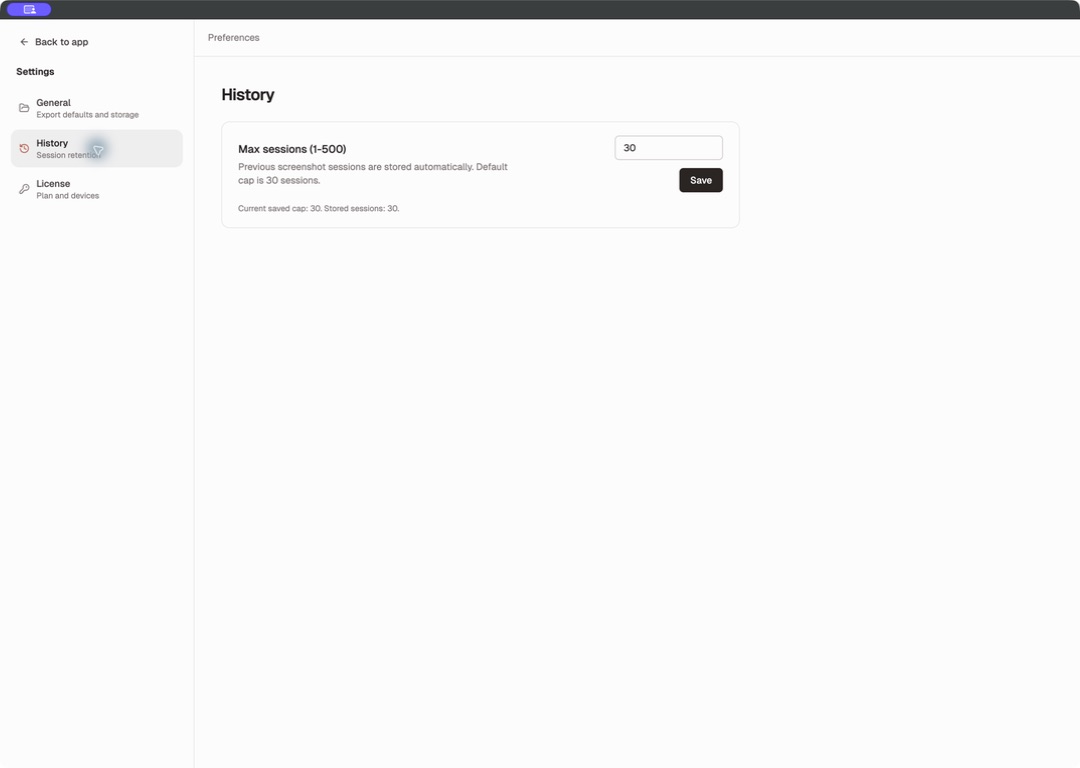
Set Max sessions (1-500); the default is 30. The page shows the saved cap and current session count.
If a lower cap would remove stored sessions, Shotomatic asks for confirmation before deleting the oldest sessions and files.