
Export a Document
Export finished Document pages as PDF, PNG, JPG, WebP, or ZIP.
Updated August 10, 2026
All Document exports use the current Page order, framing, and annotations. PDF renders Page titles and can include descriptions. Image exports use Page titles in filenames, and ZIP contains rendered PNG Pages plus document.json. These exports are separate from Capture History exports.
| Format | Result |
|---|---|
| PNG pages | One lossless file per Page |
| JPG pages | One compressed file per Page |
| PDF document | One paginated document |
| WebP pages | One WebP file per Page |
| ZIP package | One archive containing the rendered package |
Select Export PDF for the primary PDF action. Open More export formats for PDF, PNG, JPG, WebP, and ZIP.
Configure a PDF
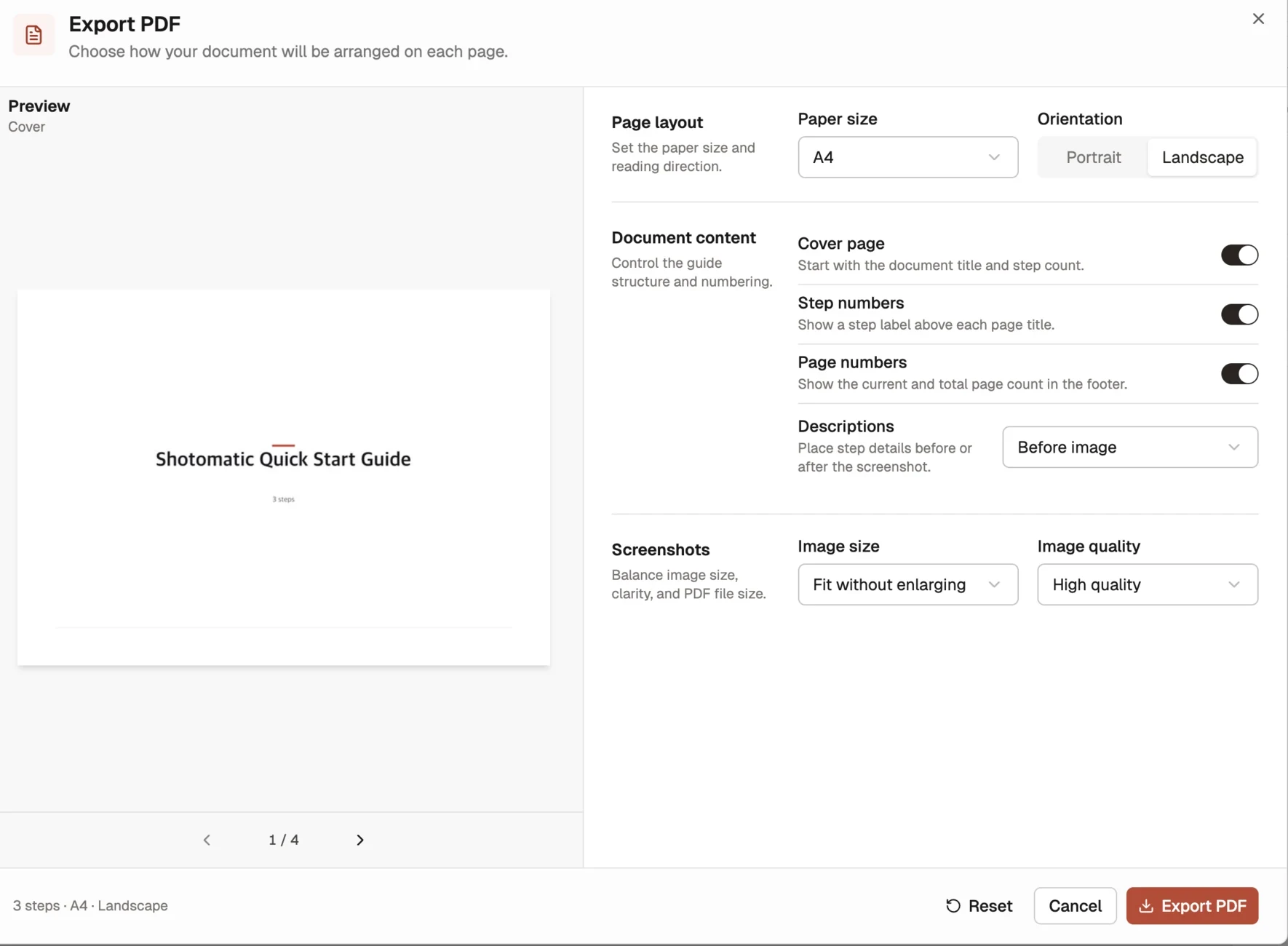
The PDF dialog shows a live preview. With Pro, use its controls to choose:
- paper size and portrait or landscape orientation;
- whether to include a cover page, step numbers, and page numbers;
- whether descriptions appear before or after each screenshot;
- image sizing and quality.
Move through the preview pages before export and check that titles, descriptions, and framing fit the selected paper size. With Pro, Reset restores the customization defaults.
An empty Document cannot be exported.
The Document remains editable after export. Re-export after changing Page order, framing, or annotations to produce a new rendered result.