Best Snagit Alternatives for Mac in 2026
Compare Snagit alternatives for Mac by screenshot automation, step capture, annotation, sharing, platform support, and file export.

Snagit covers several jobs at once: screenshots, screen recording, click-based guides, editing, file management, and sharing. A useful Snagit alternative for Mac should replace the part you use, not merely appear cheaper or look simpler.
If repeated capture or step recording is the reason you are leaving Snagit, start with Shotomatic. CleanShot X, Shottr, Scribe, and Apple's Screenshot app are closer matches for Snagit's other jobs.
Snagit alternatives at a glance
| Alternative | Best fit | Main tradeoff compared with Snagit |
|---|---|---|
| Shotomatic | Repeated Mac captures, click-driven guides, website batches, and local exports | Mac only, with no hosted review workspace |
| CleanShot X | Fast manual screenshots, annotation, recording, and cloud sharing | No dedicated click-to-guide workflow |
| Shottr | Lightweight still capture, OCR, measurement, and annotation | Narrower recording, documentation, and sharing scope |
| Scribe | Browser or desktop process documentation with hosted sharing | Desktop capture depends on plan, and output is centered on its online workspace |
| macOS Screenshot | Occasional screenshots and simple screen recordings | Minimal editing and no automatic guide creation |
1. Shotomatic
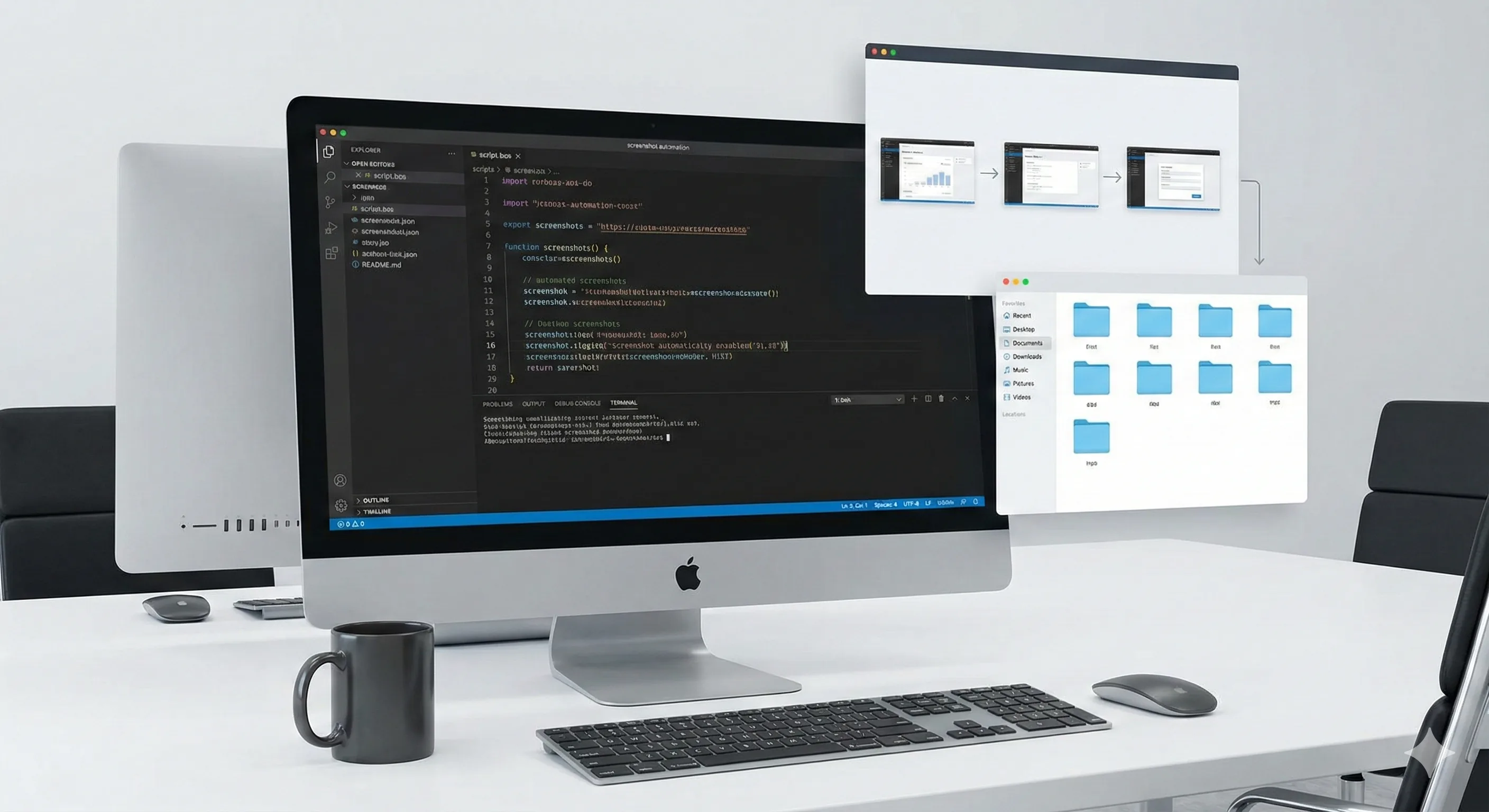
Shotomatic is the closest option here when Snagit is being used for repeated capture or visual documentation rather than general image editing. Auto Capture saves screenshots at an interval, while Action Capture turns accepted clicks into ordered pages that can be reviewed and edited.
The app also captures lists of public website URLs, exports local files, and can turn screenshot sessions into PDFs or timelapse videos. That combination makes it useful when the deliverable is a file you will attach, archive, or publish through another system.
Shotomatic is not a full replacement for Snagit's editor, asset library, cross-platform support, or Screencast collaboration. TechSmith's current Snagit feature page lists a broad image editor, video tools, file organization, sharing, and a step recorder. Keep Snagit if those pieces need to stay in one product.
Choose Shotomatic when:
- the work happens on a Mac
- captures repeat at intervals or follow accepted clicks
- a URL list needs the same website capture settings
- the result should remain a local document, PDF, image set, ZIP, or timelapse
2. CleanShot X
CleanShot X is a better Snagit alternative when speed and presentation matter more than automation. Its official Mac app focuses on area and window capture, scrolling screenshots, annotation, screen recording, and CleanShot Cloud sharing.
The choice between CleanShot X and Shotomatic is mostly about the trigger. CleanShot X starts with a person taking one screenshot or recording. Shotomatic can capture at intervals, on accepted clicks, or from a list of URLs.
Choose CleanShot X when you want polished one-off screenshots, fast markup, or a shareable link without building a document workflow.
3. Shottr
Shottr is a focused Mac screenshot app for people who work with still images. Its official site documents scrolling capture, OCR, pixel measurement, annotation, and screen pinning in a small native app.
Shottr makes sense when Snagit feels too large for the job. It does not aim to replace Snagit's full documentation and video surface, so it is less suitable when you need automatic click capture or an ordered guide.
Choose Shottr for quick still capture, inspecting interface details, copying text from a screenshot, and lightweight annotation.
4. Scribe
Scribe replaces the process-documentation side of Snagit rather than the general screenshot editor. Its desktop capture product page describes turning recorded processes into step-by-step guides, while its workspace handles editing, links, embeds, and team access.
Scribe fits when the guide itself should live online. Shotomatic fits when the author wants a local Mac capture and file export that can be moved into an existing help center, ticket, drive, or email.
Choose Scribe when browser and plan-dependent desktop capture should feed a hosted documentation system.
5. macOS Screenshot
Apple's built-in Screenshot app is enough for many occasional captures. Apple documents full-screen, window, area, and screen-recording options in its Mac screenshot guide.
The built-in tool is not a step recorder or screenshot automation system. It becomes cumbersome when you need dozens of captures, consistent edits, automatic page turns, or a structured guide.
Choose the built-in app when the task is short and the result needs little editing.
How to choose
Start with the output. Use Shotomatic when the work ends as an ordered local file or repeated capture session. Use CleanShot X or Shottr for polished individual screenshots. Use Scribe for hosted guides. Keep Snagit when one cross-platform product must cover capture, editing, organization, video, and sharing.
No alternative needs to copy every Snagit feature. The better choice is the smallest product that covers the work you do each week. See the broader Shotomatic feature overview if repeated capture, Action Capture, or website batches are the missing pieces.
Frequently Asked Questions
Related posts
See more postsBest Screenshot Automation Tools for Mac (2026)
Compare Shotomatic, Snagit, and CleanShot X for interval captures, click-by-click guides, website batches, searchable PDFs, and manual screenshots.
How to Screenshot on Mac: Built-In vs Third-Party Apps
When third-party screenshot software beats Mac's built-in tool, and when Cmd+Shift shortcuts are enough. Compare CleanShot X, Snagit, and Shotomatic.

Microsoft Steps Recorder Alternative for Mac (2026)
Need Steps Recorder on a Mac? Compare click capture with screen recording, then choose the right workflow for image, PDF, or video instructions.

How to Create Employee Onboarding Guides with Screenshots
Build role-based employee onboarding guides with screenshots for first-day access, first-week tasks, training, checks, and ownership.
Turn repeatable screenshots into finished work
Shotomatic captures, organizes, and exports screenshot sessions on your Mac.