Website Capture browser setup no longer stalls
Shotomatic 1.9.4 fixes a first-run browser download that could stop after five minutes and now shows its progress.
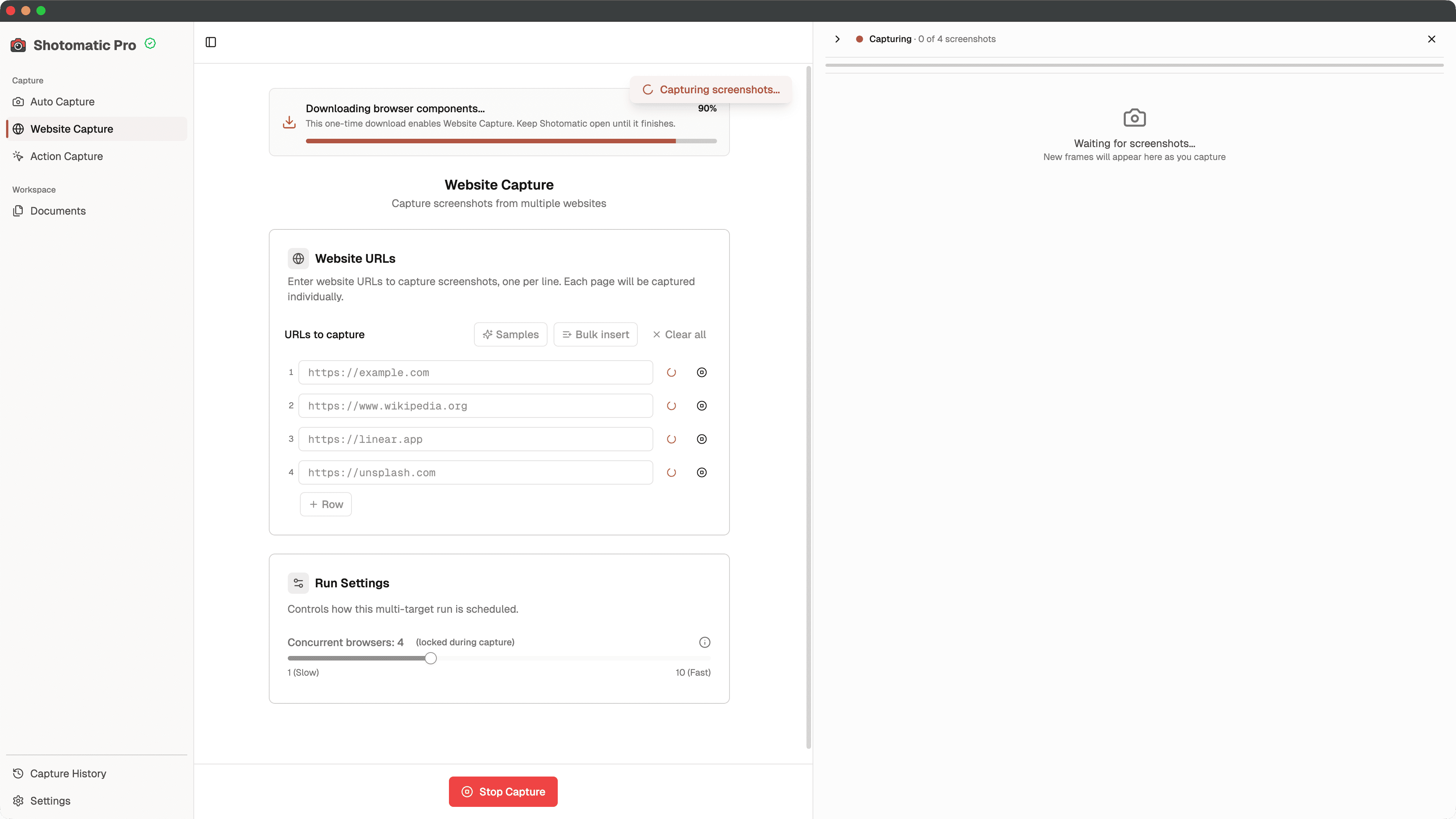
Shotomatic now shows the browser download percentage while it prepares the first Website Capture.
The first Website Capture downloads the browser components Shotomatic needs to open and capture pages. On some connections, that download could stop after five minutes even when data was still arriving.
Shotomatic 1.9.4 keeps the download going as long as data continues to arrive. The setup message also shows the current percentage, so you can see that the one-time download is moving.
Incomplete downloads are removed and retried instead of being used. If setup still fails, Shotomatic now shows an error rather than leaving Website Capture stuck on its starting state.
Update to Shotomatic v1.9.4 for reliable first-run browser setup with visible progress.
Related features and updates
Related features
Other updates
Website Capture Is Now Stable
The old Website Crawler is now Website Capture, with a steadier batch workflow and capture options you can adjust for each URL.
Website Capture No Longer Requires Google Chrome
Shotomatic 1.3.3 switched website capture from a system Chrome dependency to Playwright-managed Chromium.
Ready for a simpler screenshot workflow?
Automate recurring captures and save time.
