Website Capture Is Now Stable
The old Website Crawler is now Website Capture, with a steadier batch workflow and capture options you can adjust for each URL.
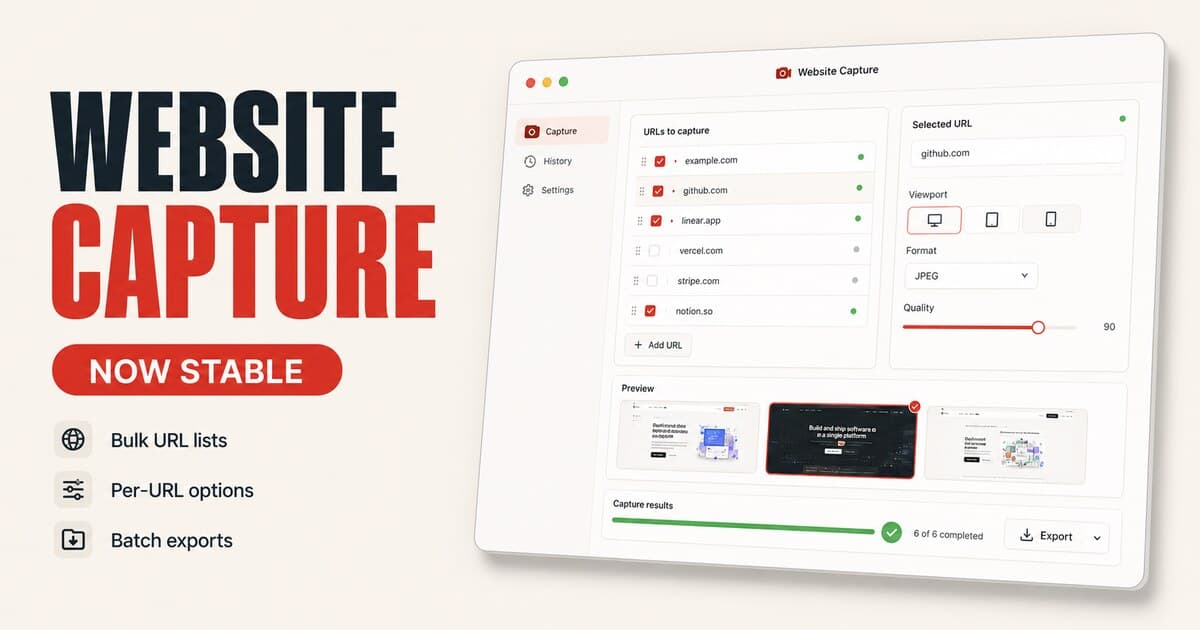
Website Crawler has grown up into Website Capture. The workflow is now steadier for real URL batches, easier to understand at a glance, and more flexible when different pages need different capture settings.
Demo
What's Improved
- Website Crawler is now Website Capture, a clearer name for the URL-based screenshot workflow.
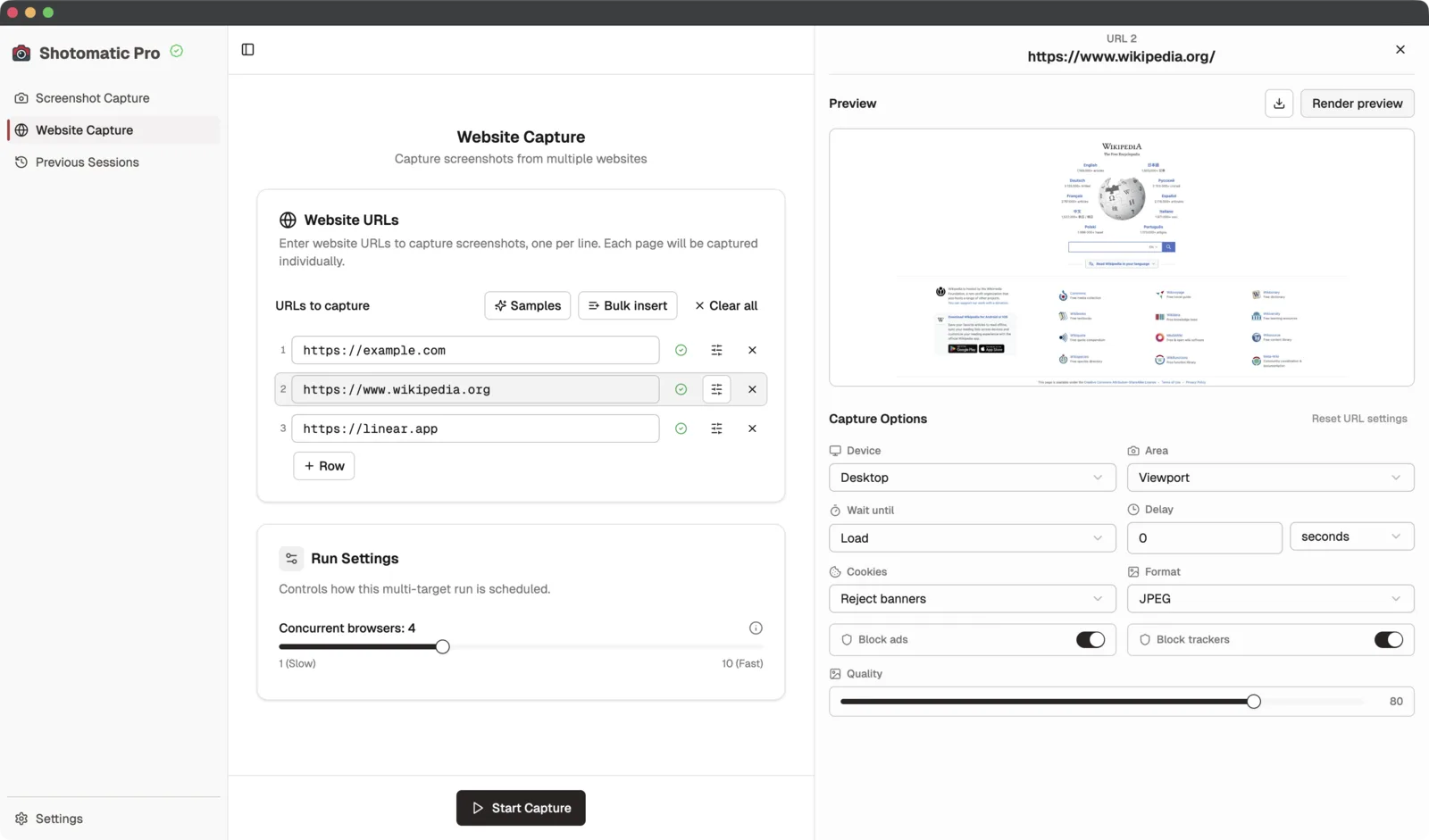
- Capture options can be adjusted per URL, so one page can use different settings from the rest of the batch.
- A selected URL opens in the side panel with preview and capture options in one place.
- Run settings stay separate from capture options, making it clearer what affects the whole batch and what affects one page.
- The workflow is more stable overall, especially for larger batches where individual pages need retries, different timing, or different cleanup behavior.
Why It Matters
Website screenshots are rarely one-size-fits-all. A homepage may need a full-page desktop capture, while a pricing page might need a mobile viewport, a longer wait after load, or different cookie banner handling.
With per-URL options, you can keep one batch list and still tune each page before capture starts. That makes Website Capture more useful for QA checks, client reports, content audits, archiving, and any workflow where consistent output matters but every page behaves a little differently.
From Capture to Export
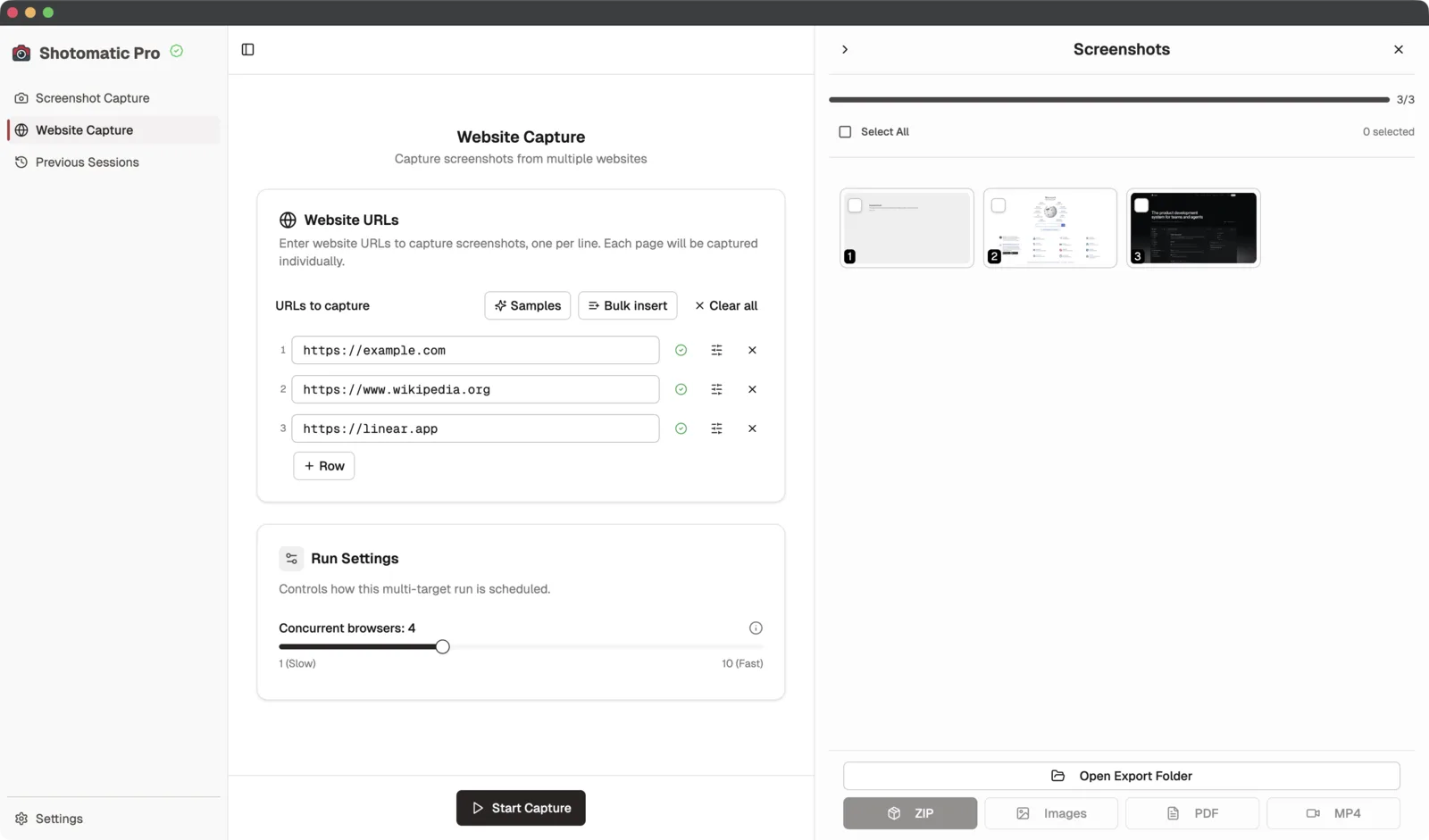
When a batch finishes, screenshots appear in the side panel with the same export options Shotomatic users already expect. You can save the run as a ZIP, individual images, a PDF, or an MP4 without leaving the Website Capture screen.
A Clearer Workflow
The rename also reflects what the feature actually does. Shotomatic is not trying to spider through a site automatically; it captures the URLs you provide. Website Capture keeps the focus on the result: a clean, repeatable set of screenshots from your URL list.
Update to Shotomatic v1.8.0 to use the stable Website Capture workflow with per-URL options.
Related features and updates
Related features
Website Crawler: Batch Screenshot Multiple Websites
Introducing the Website Crawler - automatically screenshot multiple websites with batch processing and flexible capture modes
Crawl Websites 10x Faster with Parallel Captures
Run up to 10 parallel captures at once to speed up your website crawling
Other updates
Ready for a simpler screenshot workflow?
Automate recurring captures and save time.