Previous Sessions
Shotomatic now saves completed capture history automatically, so you can revisit past sessions without turning on a separate save-as-you-go option.
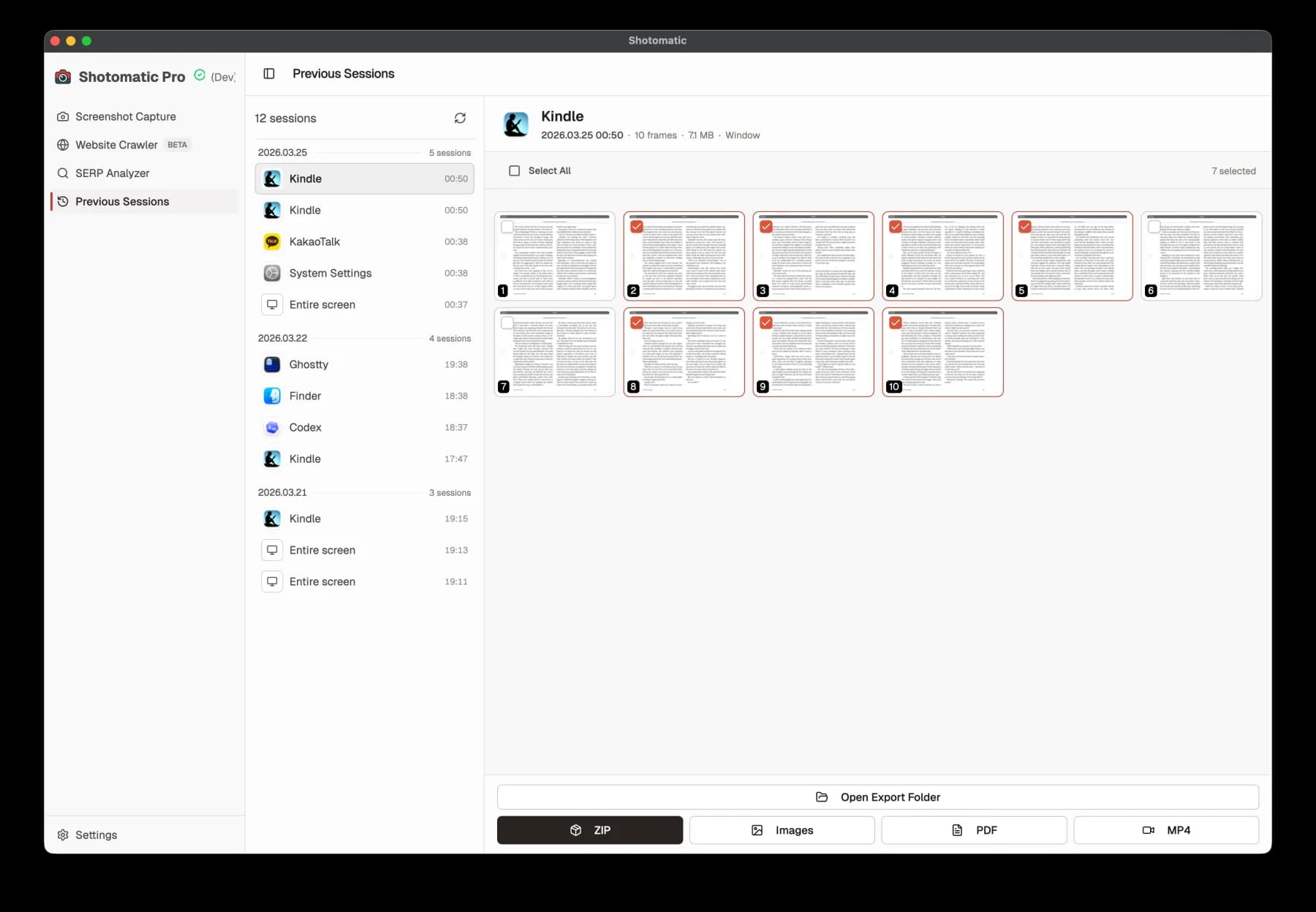
Shotomatic now keeps your completed capture history automatically and makes it available in Previous Sessions. If you used Save images as you go before, that behavior is now built in, so you no longer have to decide up front whether a session should be preserved. You can also choose how many completed sessions Shotomatic keeps by adjusting the history retention setting, so automatic history does not mean giving up control.
What's Improved
- Automatic history saving keeps completed sessions available without an extra toggle.
- A dedicated Previous Sessions view lets you browse older captures from the sidebar navigation.
- Grouped session browsing makes it easier to scan captures by date, time, and source.
- Session detail view lets you preview frames, select specific captures, and export only what you need.
- History retention controls let you decide how many completed sessions Shotomatic should keep.
Why It Matters
This turns session history into a default part of the workflow instead of an opt-in storage mode. You can capture first, sort things out later, and still come back to older sessions when you need to preview, re-export, recover, or review the exact screenshots from a previous run, while still controlling how much history Shotomatic retains.
Update to Shotomatic v1.7.0 to revisit and export earlier capture sessions.
Related features and updates
Related features
Manage Multiple Screenshots with Visual Thumbnails
Preview, organize, and export multiple screenshots at once with our visual thumbnail sidebar. Perfect for batch operations and quick navigation through capture sessions.
Export Screenshots as PDF Documents or Animated GIFs
Transform your screenshot sessions into professional PDFs for documentation or engaging GIFs for tutorials. Perfect for creating user guides, bug reports, and demos.
Other updates
Ready for a simpler screenshot workflow?
Automate recurring captures and save time.