Custom Area Capture: Preset Aspect Ratios
Pick a preset ratio for faster custom area framing, with optional aspect lock.
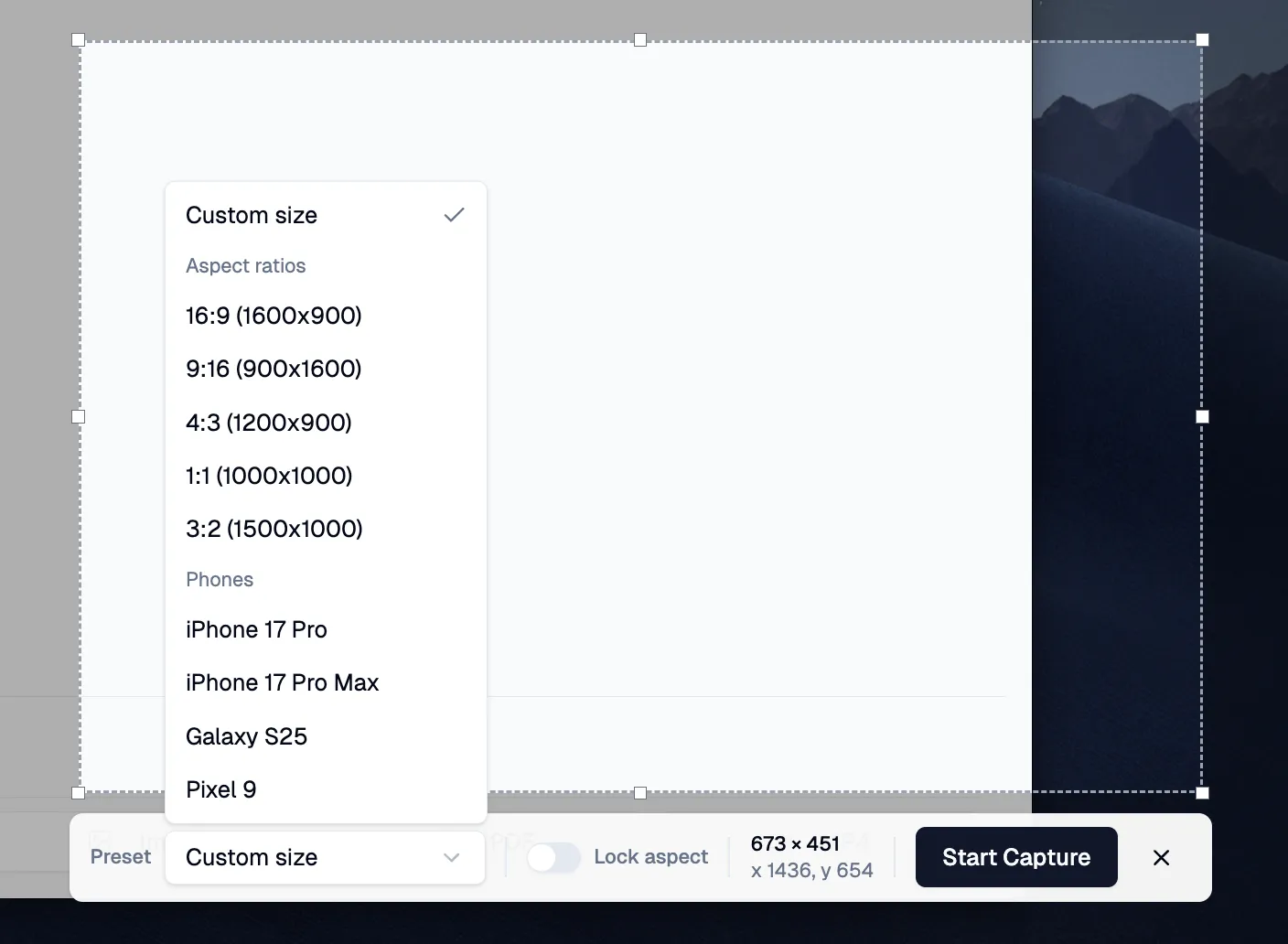
Custom Area capture now includes preset aspect ratios, so selecting a clean frame is faster and more consistent.
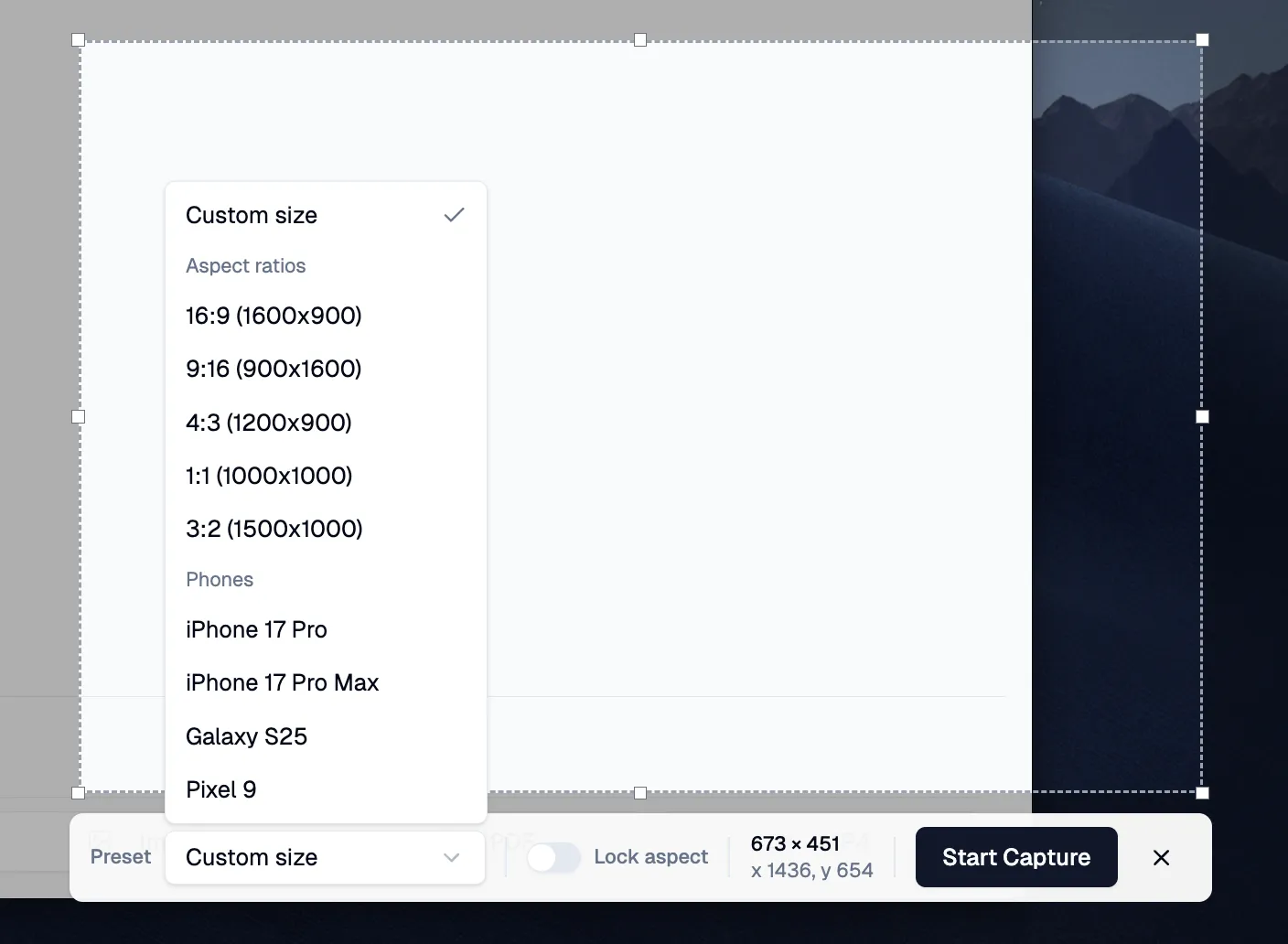
Preset Aspect Ratios for Faster Framing
Choose a familiar frame (16:9, 1:1, 4:3, and more) before you drag. It keeps your selection consistent without manual tweaking.
Lock Aspect for Precise Resizing
Toggle Lock aspect to keep the ratio fixed while resizing. Great for repeatable captures and clean layouts.
Why It Helps
- Faster framing for repeated captures
- Consistent visuals across screenshot sessions
- Less manual tweaking when precision matters
Update to Shotomatic v1.6.2 to use preset aspect ratios and aspect lock in Custom Area capture.
Related features and updates
Related features
Capture Any Part of Your Screen with Precision
Select and capture exactly what you need with Shotomatic's custom area capture. Perfect for documenting specific UI elements, error messages, or creating focused tutorials.
Image Format Converter: Convert HEIC, WebP, PNG, and JPG in Your Browser
New free Image Format Converter that turns HEIC, WebP, PNG, and JPG files into JPG, PNG, or WebP on your device, in batches of up to 50 images.
Other updates
Ready for a simpler screenshot workflow?
Automate recurring captures and save time.
