Easier License and Device Management
Shotomatic now gives your license its own Settings section, shows device activation details more clearly, and links directly to Lemon Squeezy device management.
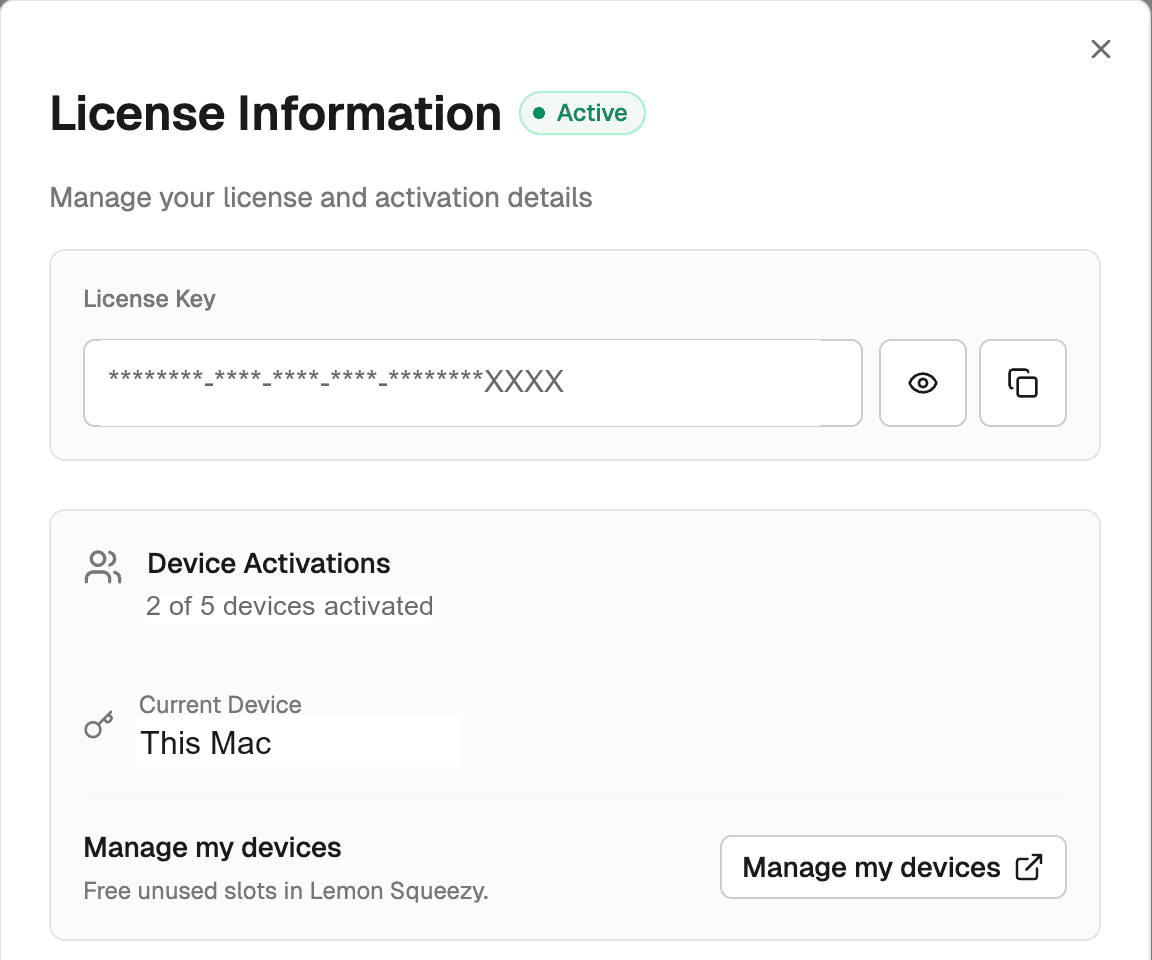
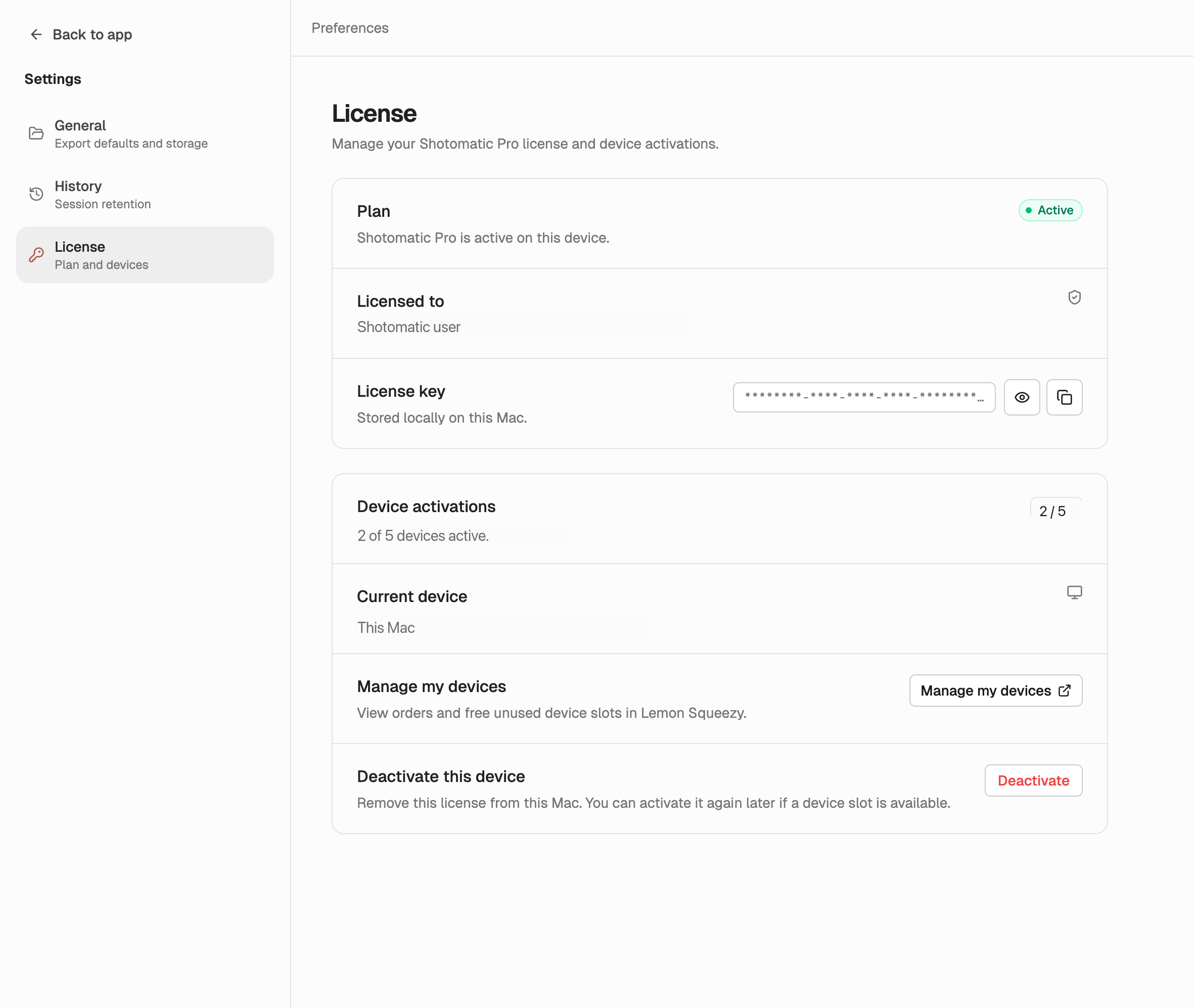
Managing your Shotomatic Pro license is now easier to understand from inside the app. The new License settings section shows your plan, current device, activation usage, and a direct path to manage device slots in Lemon Squeezy.
What's Improved
- License now has its own Settings page, so plan and activation details are easier to find.
- Device activation usage is visible at a glance, including how many seats are active and which Mac is currently licensed.
- Manage my devices opens Lemon Squeezy directly, where you can view orders and free unused device slots.
- Activation-limit errors are easier to recover from, with a clear link to manage old devices before trying again.
- License links now open more reliably, so device management feels smoother from inside Shotomatic.
More Reliable Activation
Shotomatic now shows clearer activation results when a license cannot be activated. If your device slots are full or activation does not complete, the app explains what happened and points you toward device management.
License status is also more predictable after failed activations or temporary connection issues, so the app is less likely to show a confusing state.
Why It Matters
License problems are frustrating because they usually happen when you are trying to get back to work. This update makes the current state clearer and gives you a direct recovery path for old device slots.
Update to Shotomatic v1.7.7 to manage your license and device activations more easily.
Related features and updates
Related features
Compress PDF: Shrink PDF File Size in Your Browser
New free Compress PDF tool that makes a PDF smaller on your device by re-encoding its images, shows the size saved, and leaves text, fonts, and links untouched.
Images to GIF: Make an Animated GIF from Photos and Screenshots
New free Images to GIF tool that turns photos and screenshots into an animated GIF on your device, with frame timing, looping, width, and background settings.
Other updates
Ready for a simpler screenshot workflow?
Automate recurring captures and save time.