Calmer In-App Update Prompts
Update notifications now stay inside the app, with a quieter sidebar prompt and a restart check during active capture sessions.
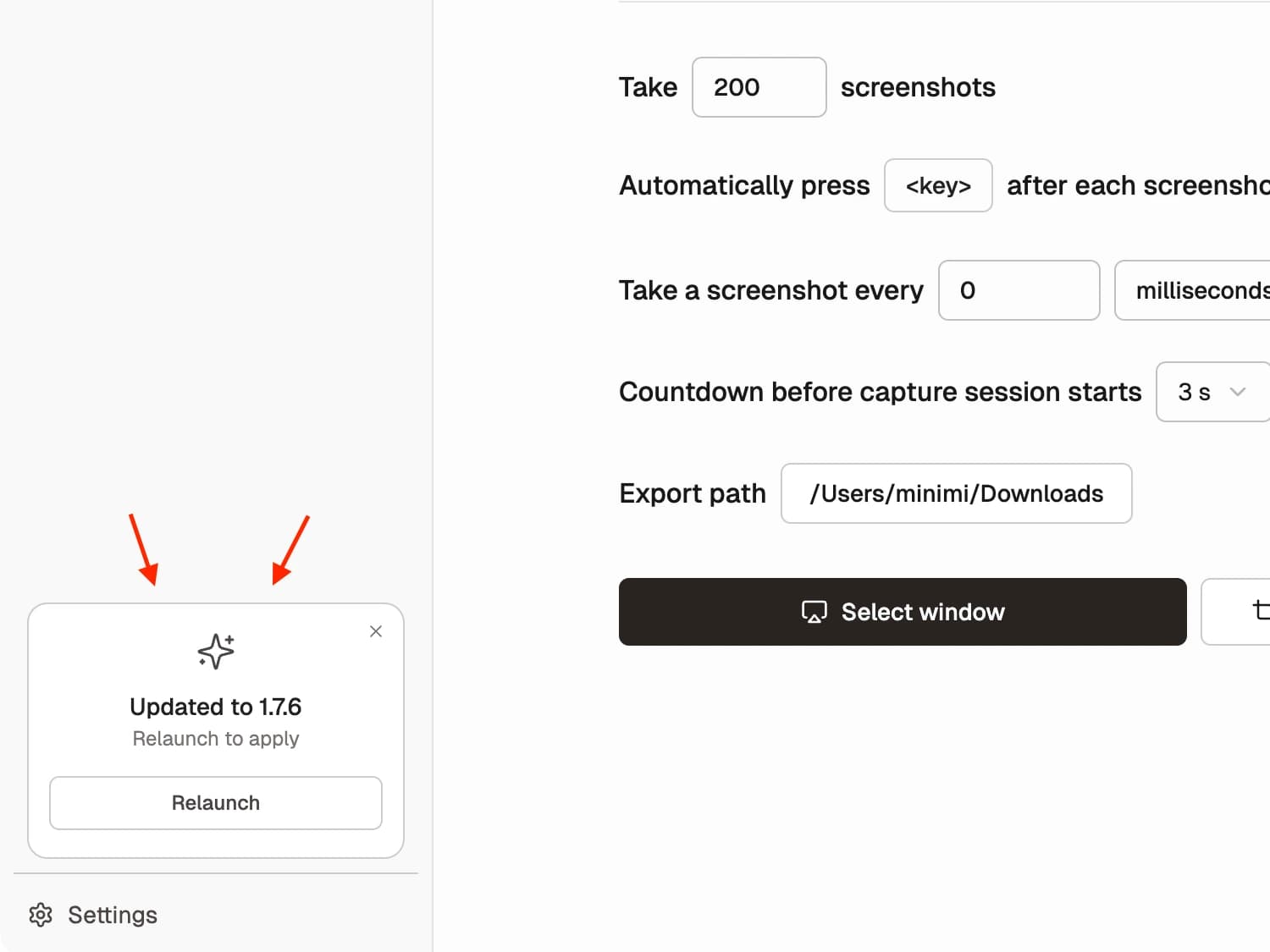
Shotomatic's update flow now feels much less disruptive. Instead of ending with a blocking native dialog, update-ready prompts now stay inside the app as a quieter sidebar notice that is easier to review when it fits your workflow.
Before vs After
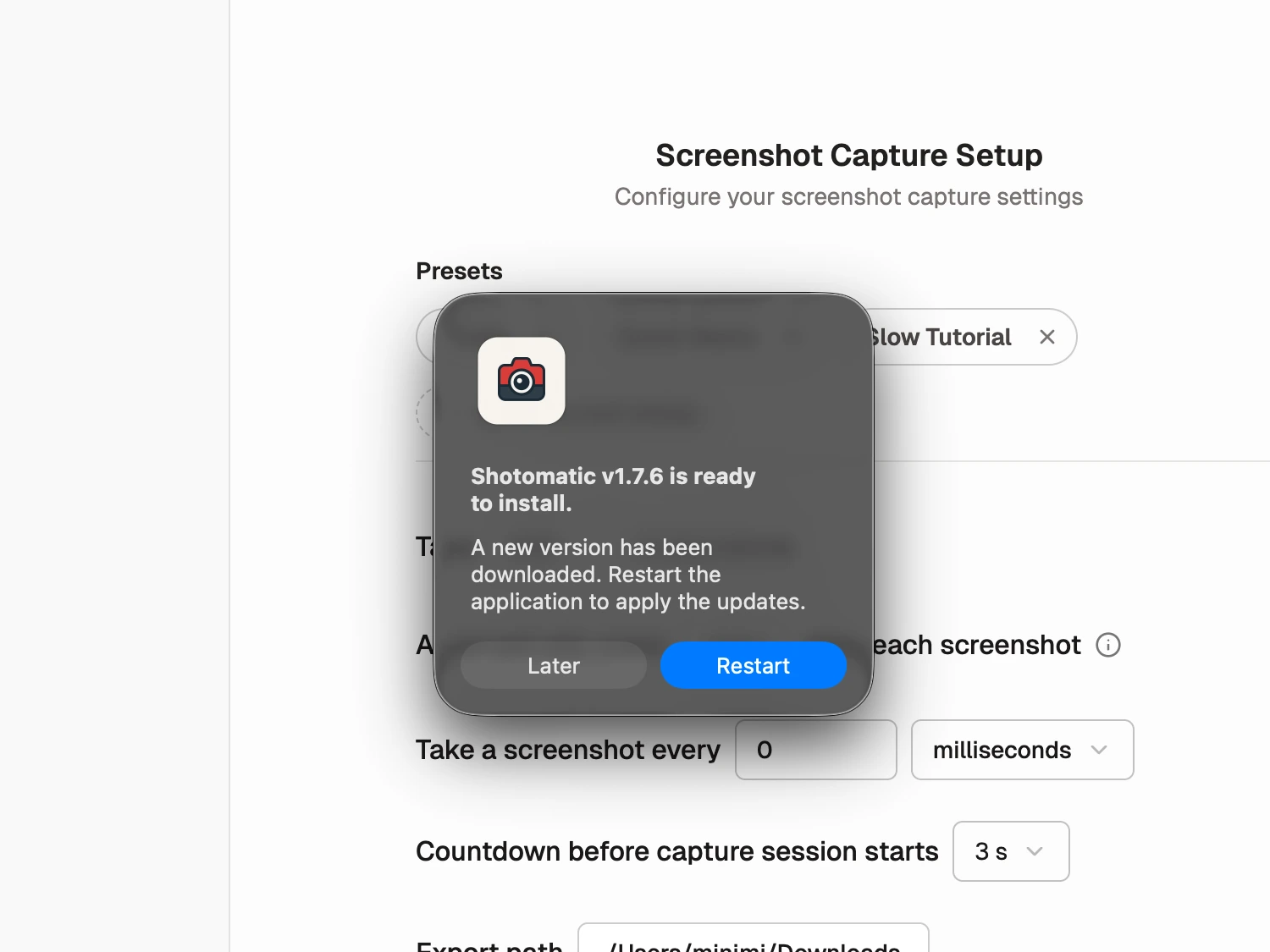
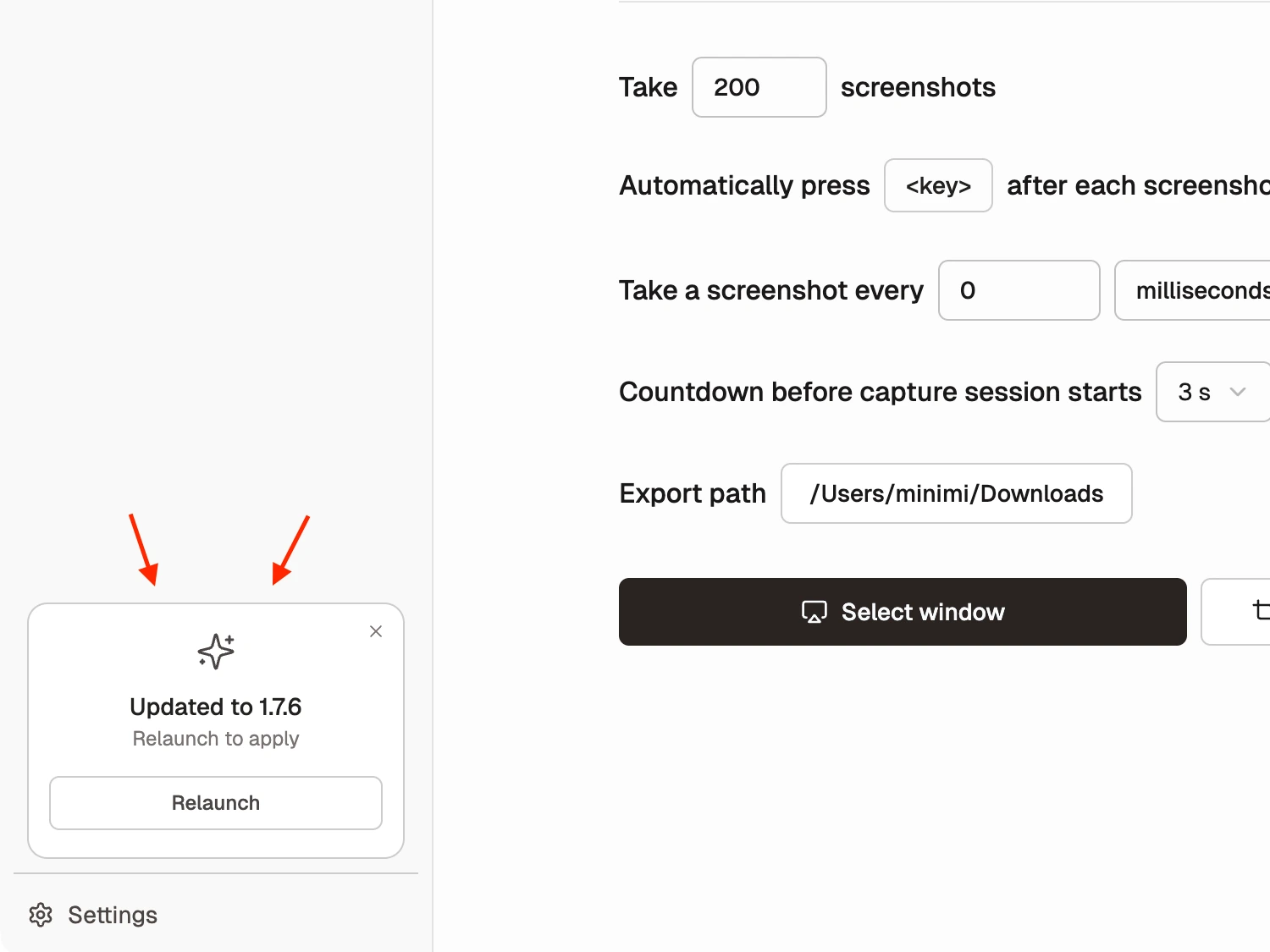
Before, the app finished downloads with a blocking native dialog in the middle of the workspace. After the change, the update state stays visible in the sidebar and lets you relaunch when it makes sense.
What's Improved
- Updates stay inside the app instead of jumping out into a blocking system-style prompt when a download finishes.
- The prompt now lives in the sidebar, which keeps the main workspace clear while still making the update easy to find.
- Collapsed sidebar mode still shows the update state, so you can notice it without keeping the full sidebar open.
- Restarting during an active capture session now asks for confirmation, which helps prevent accidental interruption.
- You can leave the update for later and keep working. The update will apply automatically the next time you restart the app.
Why It Matters
Updates should feel safe and predictable, not like a sudden interruption. This change makes the upgrade flow calmer during normal work, while also adding a clearer safety check when a screenshot session is already running.
Update to Shotomatic v1.7.6 to use the calmer in-app update prompt.
Related features and updates
Other updates
Automatic Window Focus for Window Capture
Selected windows are now brought to the front automatically before capture starts.
Refined Permission Handling
Clearer Screen Recording and Accessibility prompts, with proactive checks before capture and analysis.
Faster, Clearer Window Selection
The window picker now feels more responsive and fills in previews, app icons, and labels as you browse.
Ready for a simpler screenshot workflow?
Automate recurring captures and save time.