Faster, Clearer Window Selection
The window picker now feels more responsive and fills in previews, app icons, and labels as you browse.
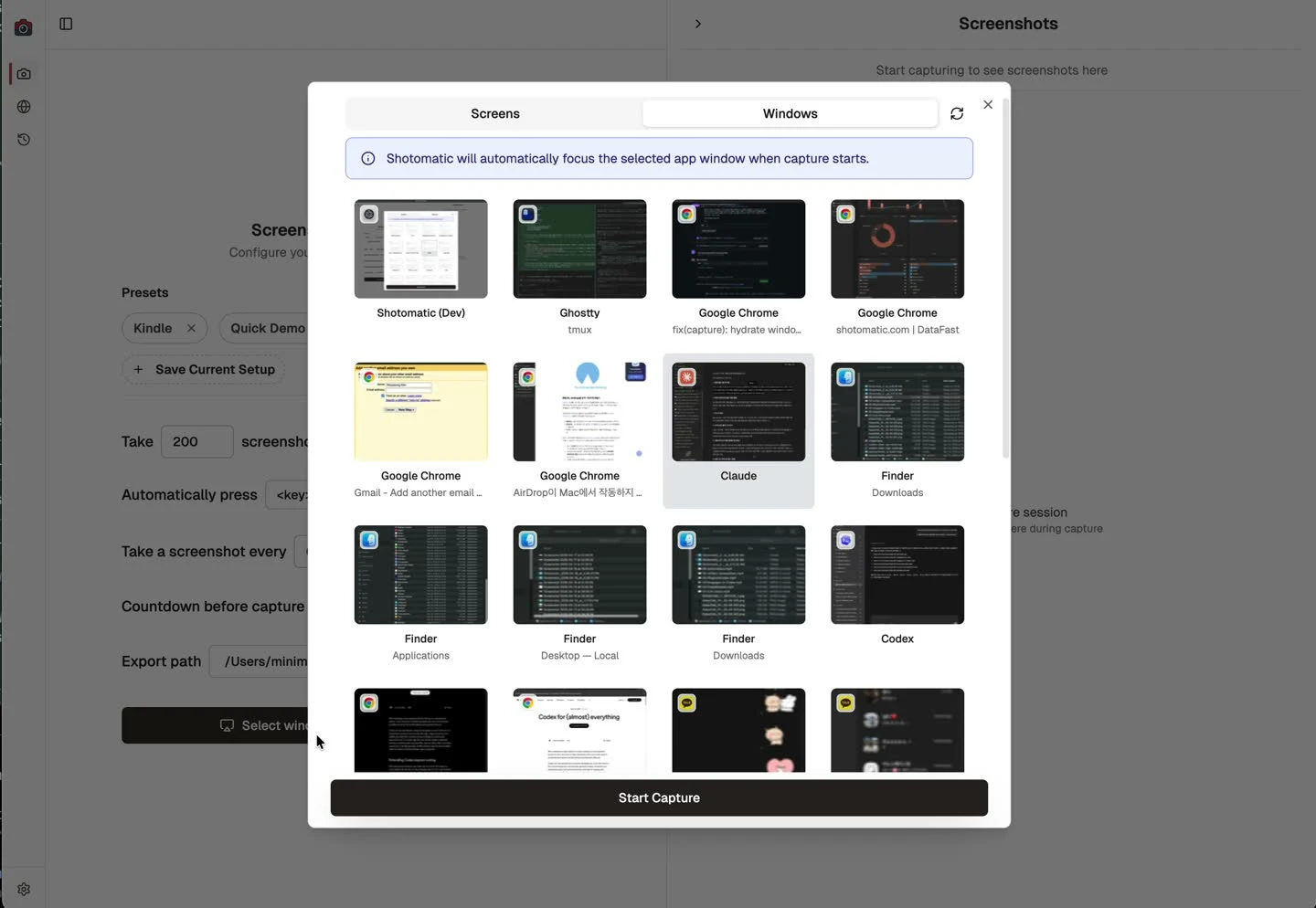
Choosing a window to capture now feels much smoother. Instead of a blocking spinner that can leave you waiting for several seconds before the full picker appears, the window list now shows up quickly, loads faster overall, and fills in richer previews and app details as you browse.
Before vs After
Before, the picker could sit behind a blocking spinner for a few seconds before the full window grid appeared. After the update, the grid shows up quickly first, then thumbnails, app icons, and labels fill in as you browse.
What's Improved
- Faster initial loading so the window list appears sooner instead of blocking on every preview detail up front.
- Shorter overall loading time so the picker becomes usable faster, not just visually calmer while it loads.
- Window previews fill in progressively as items come into view, which keeps the picker feeling responsive even with a long list of open windows.
- App icons and labels become clearer once metadata finishes loading, making it easier to distinguish similar windows.
- Selected window details stay more reliable when capture starts, so the session history reflects the app you actually chose.
Why It Matters
Window capture works best when you can identify the right target at a glance. This update reduces the actual wait at the start, cuts down on blank or ambiguous items, and gives you more confidence that the window you selected is the one Shotomatic will capture.
Update to Shotomatic v1.7.6 to load window previews and app details faster.
Related features and updates
Related features
Other updates
Ready for a simpler screenshot workflow?
Automate recurring captures and save time.