Auto Export Brings Save as You Go Back
Based on user feedback, Shotomatic brings back Save as you go as Auto Export, with better controls for format and storage.
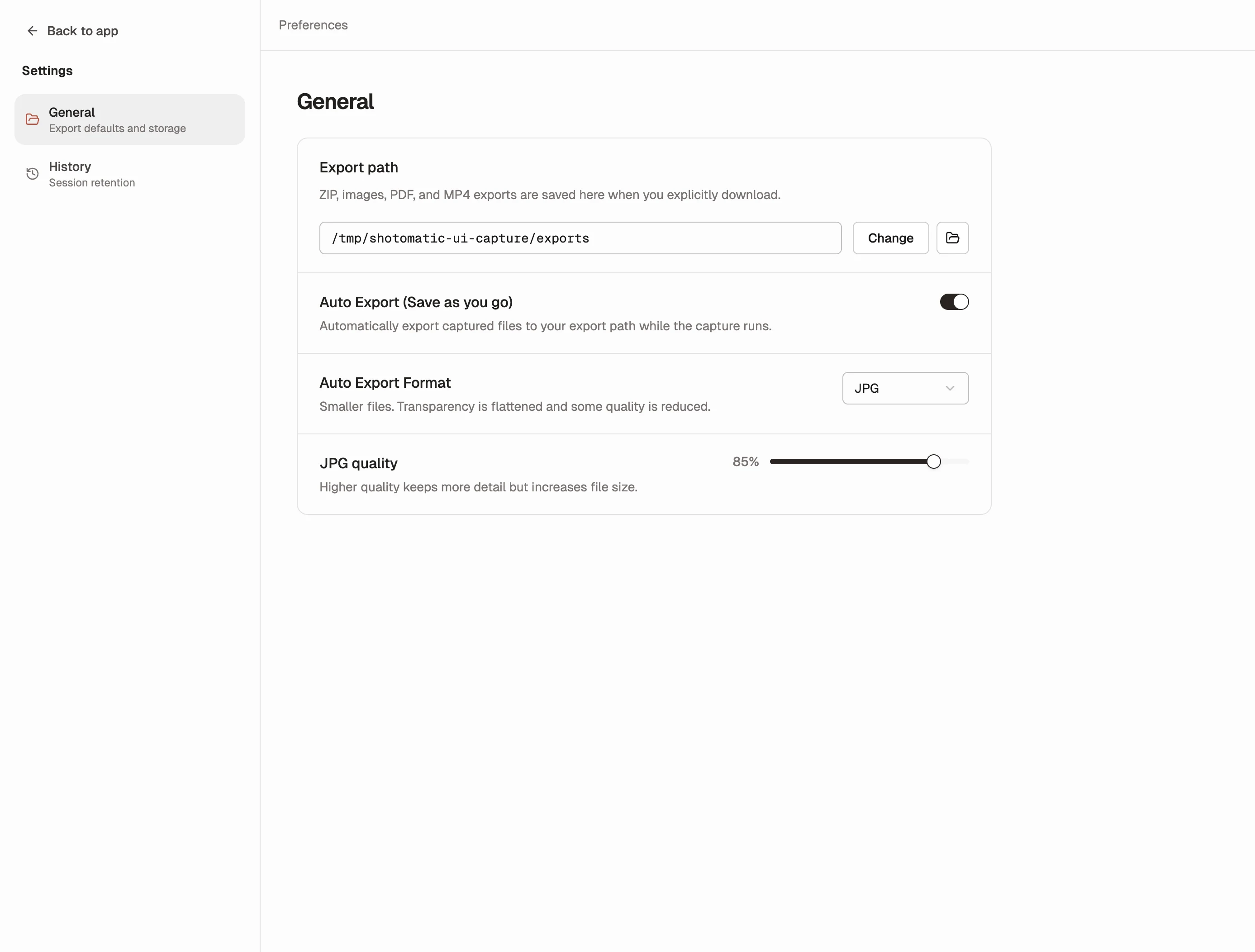
Some Shotomatic users told us they wanted Save as you go back. We heard that feedback, and we brought it back in a better form as Auto Export.
Previous Sessions still handles built-in capture history. Auto Export now restores the other workflow users missed: saving files straight to disk while capture is still running.
What's Improved
- Save as you go is back as
Auto Export - Files export while capture runs, so they reach your export folder immediately
- PNG or JPG output gives you control over quality vs file size
- One shared setting now applies across screenshot capture, website capture, and SERP capture
- A cleaner home in Settings keeps capture setup screens more focused
Why We Brought It Back
This one came directly from user feedback. Some people loved automatic session history, but still wanted the reassurance of seeing files saved to disk as the session happened.
Instead of forcing one workflow, Shotomatic now supports both:
- Previous Sessions for built-in history and revisitability
- Auto Export for immediate files on disk during capture
Why It Matters
This makes interrupted runs safer, handoff into Finder and other tools faster, and long capture sessions easier to trust. It also gives you more control over how captures land on disk, especially if you want compact JPGs or full-quality PNGs.
Most importantly, it reflects something we care about: listening to real user workflows and improving Shotomatic around them.
Update to Shotomatic v1.7.1 to save captures to disk while a session is running.
Related features and updates
Related features
Previous Sessions
Shotomatic now saves completed capture history automatically, so you can revisit past sessions without turning on a separate save-as-you-go option.
JPG Export: Save Disk Space During Long Capture Sessions
Prevent disk space issues during extended screenshot sessions with JPG export - same quality, significantly smaller files
Other updates
Ready for a simpler screenshot workflow?
Automate recurring captures and save time.